

2.It’s a .img file, right-click ProPlus2021Retail.img OR ProPlus2019Retail.img then select mount.

3.Double click or Right.click on Setup file, then click Open
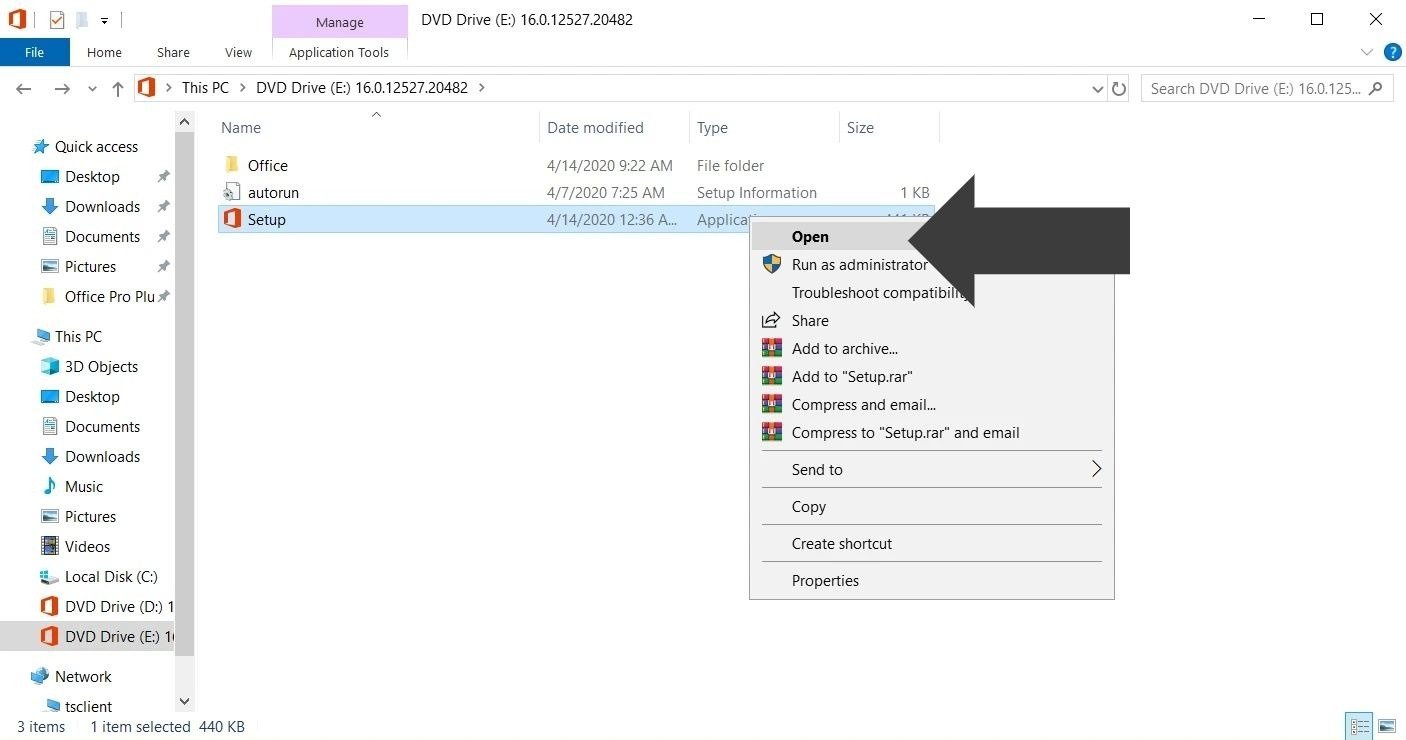
4.Wait for the setup installation to complete
5.Click on Start and open any Office app (for example open Word, Excel etc.)
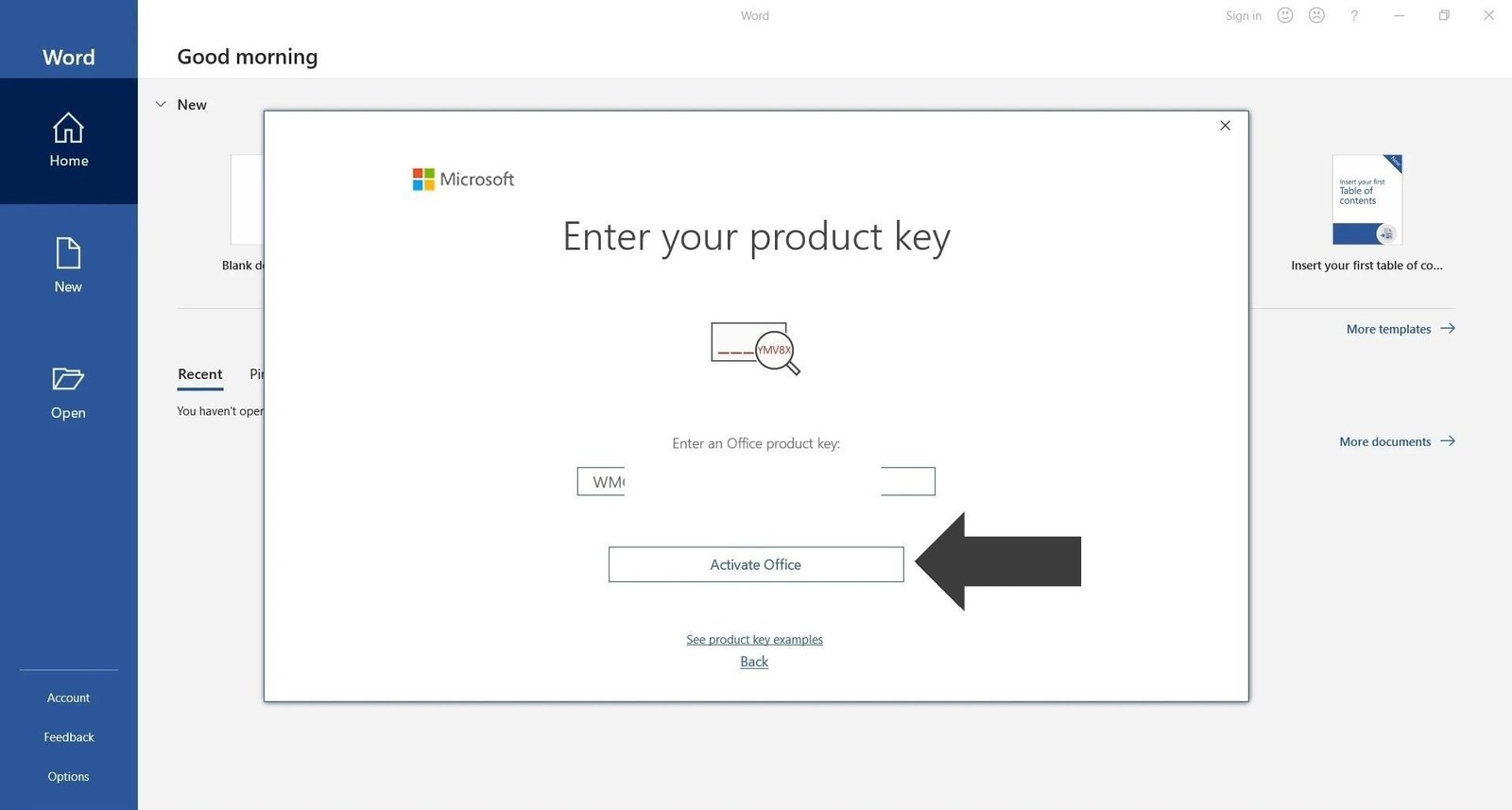
6.Wait for the Activation screen pop up
7.Now enter the Product Key you received after purchase, then click on Activate Office.
8.Done now your Office is fully activated.
